Al Quran: Holy Quran Mp3
- 4.5
- Rating
- 100.00K
- Installs
- Free
- Price

 Analysis by App-foxy
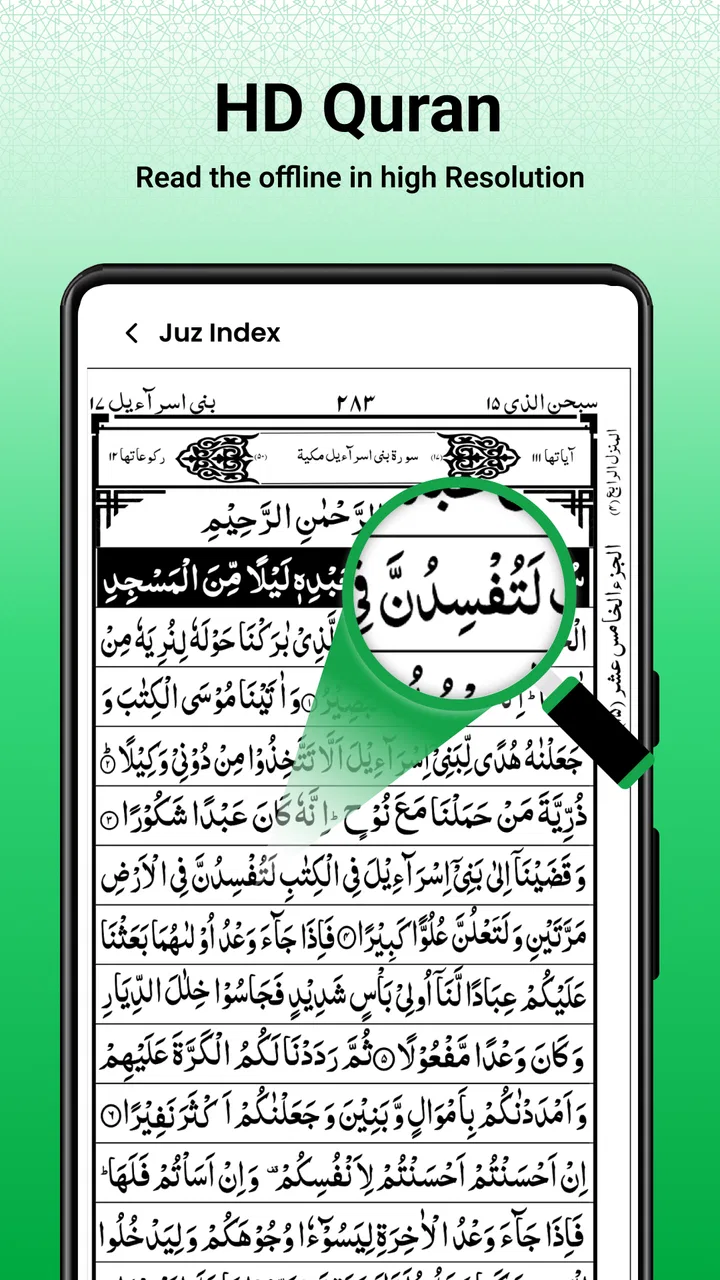
I approached Al Quran: Holy Quran Mp3 as a practical reading and learning tool rather than as a feature-packed religious platform. Its main appeal is straightforward: it gives me a way to keep Quran reading available offline, with an experience intended to feel closer to using a physical Quran Majeed than browsing a general-purpose phone app. That simple focus makes it easy to understand, but it also means the app is best judged by the quality of its everyday reading routine, not by a long list of extras.
Published by Radiant Islamic Apps, this free app sits in the Libraries & Demo section and is suitable for everyone. It has reached over one hundred thousand installs and holds a 4.5 average from around one thousand ratings, which suggests that many people find its basic purpose useful. I would describe it as a quiet, focused companion for readers who want access without depending on a mobile connection, rather than as a complete replacement for every Quran study resource.
How I use it for a dependable offline reading routine
My preferred starting point is deliberately uncomplicated. I open the app when I want to read, settle into the page view, and treat the phone as a dedicated reading surface instead of jumping between several tools. That matters because Quran reading often benefits from continuity. Notifications, browser tabs, and changing apps can easily turn a short session into distracted scrolling, while an offline reader keeps the purpose narrower.
You May Also Like

 Blood Strike: 2.5 Anniversary
Blood Strike’s Loadouts Turn Every Drop Into a Tactical Gamble
A close look at Blood Strike’s custom loadouts: how fast access to signature weapons reshapes its battle royale rhythm, rewards preparation, and narrows the gap between fights.

 Pandora - Music & Podcasts
Pandora’s Music Is Easy to Start, but Harder to Recover
Pandora’s strength is its low-effort path from a seed to a station. Its weak spot is how much confidence it asks you to place in connection, setup, and quiet recovery.

 8 Ball Pool
 Is Built on Rivalries, Rematches, and Routine
A close look at the rivalries, rematches, shared routines, and unanswered safety questions that turn a quick pool match into a persistent mobile community.

 Samsung Music
’s Quiet Strength Is Playing What You Already Own
Its reach comes less from spectacle than from dependable access to a personal library. That simplicity is both the app’s strongest retention engine and its ceiling.

 AccuWeather: Weather Radar
AccuWeather Review: A Quick, Clear Forecast for Everyday Decisions
For everyday plans, the best forecast is the one you can understand quickly. AccuWeather makes rain timing, radar, and local conditions easy to act on, with a few trade-offs.

 Hill Climb Racing
Why Hill Climb Racing Still Turns Crashes Into One More Run
A tiny car, a bumpy hill and one more upgrade: Hill Climb Racing keeps resurfacing because its simple chaos makes every near-miss feel personal.
More From Our News Desk



The offline focus is especially useful in ordinary situations. I can imagine using it during a commute where the signal is unreliable, while waiting somewhere with limited connectivity, or at home when I want to avoid streaming audio and unnecessary data use. It also makes the app suitable for a regular reading habit in places where keeping a stable connection cannot be taken for granted.
For a new user, I recommend spending the first session learning the basic movement through the Quran rather than trying to customize everything immediately. Notice how pages or sections are opened, how you return to the text, and which controls remain visible while reading. Once that movement feels natural, the app becomes less like a piece of software and more like a book that happens to be on your phone.
One practical habit is to end each session in a consistent place. If the app restores your position reliably on your device, that gives you a simple continuation workflow; if not, I would make a mental note of the surah or page before closing. I would not build an important memorization plan around an assumed bookmark system unless I had tested it personally. The useful lesson is to create a repeatable stopping point instead of relying on vague memory.
The same approach helps with learning. A short, regular reading session is easier to maintain than opening the app only when you have a large block of free time. I find that an offline Quran app earns its place through these small moments: a few pages before sleep, a quiet pause during the day, or a planned reading period without the pressure to explore unrelated content.
The first settings I would check
Before settling into long sessions, I would inspect the available reading controls on the device. Text-heavy apps can feel very different depending on screen size, brightness, font rendering, and whether the phone is held vertically or horizontally. Even when the content is unchanged, a comfortable layout reduces the temptation to stop early because the reading experience feels tiring.
Brightness is worth treating as part of the reading setup, not merely a phone-wide preference. A screen that looks fine outdoors may feel harsh in a dark room, while a dim setting can make the page difficult to follow. I usually adjust the phone before reading rather than repeatedly changing it in the middle of a passage. That keeps the session calmer and avoids turning a spiritual routine into technical maintenance.
I would also check whether the app offers any controls for text presentation, page movement, or audio playback, using only the options that are actually visible in the installed version. The store summary emphasizes offline reading and learning, while the product name points toward Quran audio as part of its identity. Still, I would test the exact behavior on my own phone instead of assuming that every audio-related workflow works exactly like a dedicated Quran audio application.
This is an important distinction for experienced users. A setting is useful only when it supports a habit you can repeat. If changing a display option makes the text easier to read, keep it. If exploring controls takes longer than the reading session itself, return to the simplest arrangement. I prefer a stable setup that disappears into the background.
Because the app is free to install, it is easy to try without a financial commitment. However, it includes in-app purchases ranging from $2.99 to $19.99 per item. I would pay attention to what appears during normal use and decide whether any optional purchase genuinely improves my routine. The free entry point is a strength, but users should still make deliberate choices rather than tapping through purchase prompts automatically.
Small shortcuts that make repeated use easier
The fastest workflow is not necessarily the one with the most gestures. For me, speed comes from reducing decisions. I keep the app in a familiar place on the phone, open it at the same part of the day when possible, and begin reading instead of searching for a new arrangement every time. This is more valuable than a clever shortcut that I forget after a week.
Another useful pattern is separating reading sessions by purpose. If I am reading for continuity, I avoid interrupting myself to investigate every available option. If I am learning, I may slow down and repeat a passage. If I want audio, I decide that before starting. Mixing all three intentions in one short session can create friction, especially on a compact screen.
For someone building a daily habit, I would pair the app with a simple external routine: choose a general time, decide on a manageable amount, and stop at a recognizable boundary. I would not claim that the app itself provides a complete progress-management system. Its value is that the Quran remains available offline, allowing the user’s own routine to provide the structure.
There is also a useful trade-off between phone convenience and book-like focus. A phone can be carried everywhere, but it also contains calls, messages, social media, and other interruptions. I recommend enabling a quiet environment before reading if notifications are a problem. That is not a special feature of this app; it is a practical way to protect the app’s central strength from the distractions of the device hosting it.
When introducing it to another person, I would show the offline workflow first. That answers the most important practical question quickly: can the user open it and read without waiting for a connection? After that, I would demonstrate the reading controls available on their particular device and let them decide whether the presentation feels comfortable. This is more helpful than promising a universal setup, because screen size and personal reading preferences vary considerably.
Where it fits beside other Quran resources
Compared with a printed Quran, this app is more portable and easier to keep available during travel, but it cannot provide the same tactile experience or freedom from screen fatigue. A printed copy is often the better choice for long, uninterrupted reading, careful recitation practice, or anyone who finds phone use distracting. The app is more convenient when carrying another book is impractical.
Compared with a broad Quran platform that combines translations, tafsir, recitation libraries, prayer tools, and community features, this application feels more focused. That can be an advantage when I want to read without navigating a crowded dashboard. It can also be a limitation if my study requires extensive explanation, cross-references, several translations, or a powerful search system.
Dedicated Quran audio applications may be preferable for listeners who mainly want recitation, playlists, repeat controls, or a highly developed listening workflow. The name and summary make audio relevant to this app’s identity, but I would choose a specialist audio tool if listening practice is my primary activity and the available controls here do not match that need.
For memorization, I would use this app as a text companion rather than assume it replaces a full memorization system. I can read a passage repeatedly and build my own routine, but serious learners may want tools specifically designed for verse repetition, tracking, and structured revision. The best choice depends on whether the goal is accessible offline reading or a complete study program.
Limits I noticed in the overall approach
The app’s simplicity is both its character and its main limitation. Someone expecting a polished all-in-one Islamic toolkit may find the experience narrower than anticipated. The category placement also sets a useful expectation: this is a library-oriented reading application, not an expansive social or productivity environment.
Offline access solves one problem, but it does not automatically solve every reading problem. I still need to manage screen comfort, interruptions, battery awareness, and my own consistency. If I am traveling for a long period, I would prepare the phone beforehand and avoid assuming that every part of my routine can depend on a single device.
I would also be cautious about treating the app as a scholarly reference without checking whether its available presentation meets my needs. Reading and learning are broad descriptions. A reader who needs detailed commentary, multiple translations, advanced search, or formal study references should compare this app with a more specialized resource before making it the only tool.
Version 1.3.9 is the current version, and it supports devices running Android 7.0 or later. That makes it accessible to many Android users, including people who are not using the newest phone. Even so, I would judge comfort on the actual device rather than by operating-system compatibility alone. A supported phone can still have a small display, limited storage, or a battery condition that affects long reading sessions.
The everyone age rating makes the app approachable for households where different family members may use the same device. I still prefer setting up the reading environment personally, especially when the phone is shared, because saved positions, display preferences, and interruptions can affect how smoothly the next session begins.
Who should make it part of a daily habit
I think this app is a good fit for readers who want a free, portable Quran resource with offline access at its center. It is particularly appealing if you value a book-like reading purpose, want to avoid depending on mobile data, and do not need a large collection of surrounding tools. The strong average rating and substantial install base make it reasonable to try, but my recommendation ultimately rests on whether its reading flow feels natural on your phone.
It is also useful for someone who moves between connected and disconnected environments. A student, traveler, or busy parent may appreciate opening the Quran without first checking signal strength. The best results come when the app is treated as a dependable part of a routine rather than as an application to explore endlessly.
I would suggest another option for users whose priority is detailed study, extensive translation comparison, scholarly commentary, or advanced memorization management. I would also suggest print for readers who dislike screens, and a dedicated audio platform for people whose main goal is listening practice. Choosing a different tool in those cases is not a criticism of this app; it simply reflects a different purpose.
My final impression is that Radiant Islamic Apps has kept the central idea clear: make Quran reading available in a convenient offline form that can feel familiar to someone accustomed to a physical Quran. The app works best when I keep the workflow simple, check the reading environment once, and use consistent habits instead of expecting the software to organize every part of my learning.
My recommendation is to try it if offline Quran reading is your main need. Give it a few ordinary sessions, test the reading and audio-related controls that matter to you, and decide whether the presentation supports your routine. For focused access, it is a sensible free starting point; for deep study or highly structured memorization, I would use it alongside a more specialized resource rather than asking it to do everything.
FAQs for Al Quran: Holy Quran Mp3
01What features does Al Quran: Holy Quran Mp3 offer?
Al Quran: Holy Quran Mp3 provides a comprehensive platform for listening and reading the Quran. It includes audio recitations from renowned Qaris, multiple translations, and tafsir (exegesis) for deeper understanding. The app also features bookmarking, night mode, and customizable font sizes to enhance user experience.
02Is the app available offline?
Yes, Al Quran: Holy Quran Mp3 offers offline functionality. Users can download specific surahs or the entire Quran for offline listening and reading. This feature is incredibly useful for those who wish to access the Quran while traveling or in areas with limited internet connectivity.
03How user-friendly is the app for beginners?
The app is designed with a user-friendly interface, making it accessible for beginners. It features intuitive navigation, easy-to-use controls for playback, and clear instructions. Additionally, the app offers a variety of languages and translations, which assists new users in understanding the Quran more effectively.
04Are there any customization options available in the app?
Yes, the app offers several customization options to enhance the user experience. You can adjust font sizes, switch between different themes, and select your preferred reciter. These features allow users to personalize their experience according to their reading preferences and comfort.
05Is there a cost associated with using Al Quran: Holy Quran Mp3?
Al Quran: Holy Quran Mp3 is generally free to download and use, offering core features at no cost. However, there may be in-app purchases or ads to unlock additional features such as premium recitations or advanced tafsir options. Users should review the app details on the download page for specific pricing information.
Pros
- User-friendly interface for easy navigation.
- High-quality audio recitations available.
- Supports multiple languages for translation.
- Bookmark feature for quick reference.
- Offline access to downloaded content.
Cons
- Requires significant storage space.
- In-app ads can be distracting.
- Limited customization options.
- Some features require internet connection.
- Occasional app crashes reported.

Al Quran: Holy Quran Mp3
Gallery